


Compatible Replacement Fujitsu AH531 Laptop Battery – Buy in the UAE
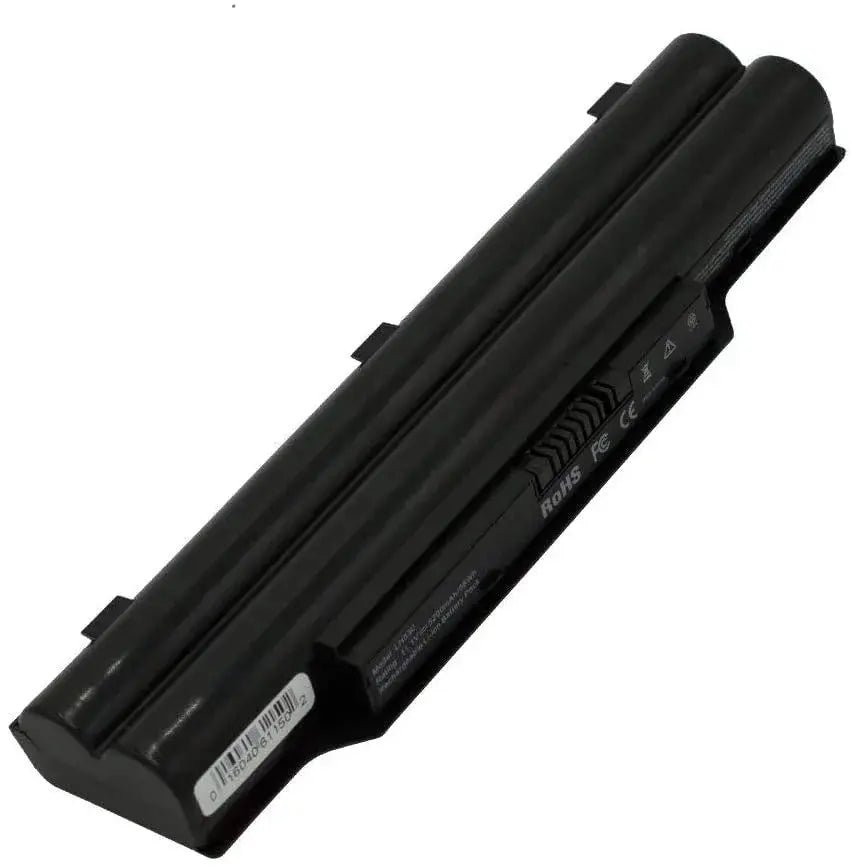
This is a compatible replacement battery for Fujitsu laptops, rated 10.8V 48.8Wh (5200mAh) with a 6-cell design. Before ordering, match the part number printed on your current battery label with one of the compatible part numbers below, and check your laptop model in the full fit list. It is not an original manufacturer battery unless this listing states otherwise.
Key Features
- Output voltage: 10.8V
- Capacity: 48.8Wh (5200mAh)
- 6-cell configuration
- Chemistry: Lithium Ion
- Fits 11+ Fujitsu laptop models (full list below)
- Compatible Replacement condition – clearly disclosed
Specifications
| Brand | Fujitsu |
|---|---|
| Battery Model | AH531 |
| Condition | Compatible Replacement |
| Voltage | 10.8V |
| Capacity | 48.8Wh |
| Charge Capacity | 5200mAh |
| Number of Cells | 6 cells |
| Chemistry | Lithium Ion |
| Compatible Models | 11 (listed below) |
| Availability | In stock – ships from Dubai, UAE |
Compatible Laptop Models
Use Ctrl+F (Cmd+F on Mac) to find your model. Every model listed by the supplier is included:
- LifeBook
- A530 LifeBook
- A531 LifeBook
- AH530 LifeBook
- AH531 LifeBook
- LH530 LifeBook
- LH52/C LifeBook
- LH520 LifeBook
- LH701A LifeBook
- LH701 LifeBook
- PH521
How to Check This Battery Fits
- Find the part number printed on your current battery label and compare it with the compatible part numbers above.
- Match the voltage – 10.8V and 11.1V are equivalent, as are 14.4V and 14.8V; other voltage differences do not match.
- Check your laptop model against the full model list, and confirm the battery shape and connector from the product photos.
Ordering and Delivery
Order from LowCart.ae – shipped from Dubai with delivery across the UAE, Saudi Arabia and Oman. 30-day hassle-free returns on unopened items.
Frequently Asked Questions
Is this an original Fujitsu battery?
No – this is a compatible replacement battery, disclosed as such. It is not an original Fujitsu battery.
How do I know it fits my laptop?
Match the part number on your old battery label against the compatible part numbers above, and check your exact laptop model in the fit list. When in doubt, send us your battery part number and laptop model before ordering.
Should I calibrate a new battery?
Yes – charge it to 100% and keep charging for 2 more hours, then let the laptop run until it shuts down, and charge it uninterrupted back to 100%. This calibrates the fuel gauge for accurate readings.
Reviews
Clear filtersThere are no reviews yet.